YouTube Thumbnail Text Guide: How Much Is Too Much?

Written by SRGE
We build thumbnail workflows for creators and publish practical guidance based on the product work and sources cited in each article.
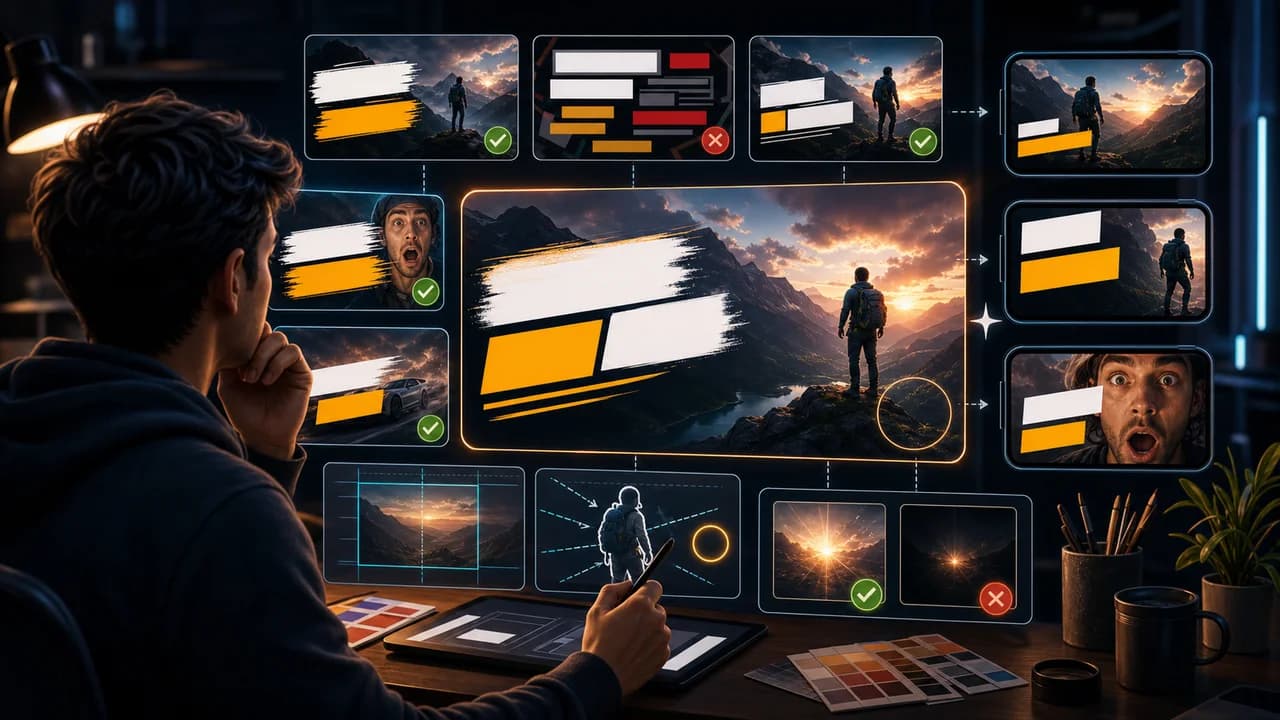
Thumbnail text is useful when it adds a fast missing idea. It becomes a problem when it tries to be the title, caption, disclaimer, and punchline all at once.
The useful goal is not to chase a universal thumbnail formula. It is to make the video's promise understandable at feed size, keep the packaging honest, and give yourself more than one strong direction to compare before publishing.
Fact-checked on 7 July 2026 against YouTube's thumbnail and title tips, custom thumbnail requirements, title and thumbnail testing documentation, and YouTube's spam, deceptive practices, and scams policy. The examples below are creative strategy guidance, not performance guarantees.
What people searching for YouTube thumbnail text really need
People searching for thumbnail text advice usually want a rule. The honest answer is more useful: use the fewest words that make the image easier to understand, then test whether those words still read on mobile.
Principles that make the thumbnail easier to click
- Use text as a label, twist, or proof: Good thumbnail text often names the result, frames the contrast, or creates a question. It should not summarize the entire video.
- Do not repeat the title: If the title already says the premise, the thumbnail text should add emotion, context, or specificity.
- Make the shortest phrase win: One to four strong words often beat a full sentence because the viewer is scanning, not reading.
- Design for the worst crop: Text near the edge, behind timestamps, or over detailed backgrounds is more likely to fail across surfaces.
A practical workflow
- Write the title first: Then decide what the thumbnail text can add that the title cannot show visually.
- Cut every soft word: Remove filler like really, very, amazing, secret, and shocking unless the word changes the meaning.
- Test the tiny version: Shrink the thumbnail until it looks like a phone feed. If the phrase disappears, it is not ready.
- Make one no-text option: For many videos, the strongest thumbnail uses object, expression, or contrast instead of text.
Thumbnail angles and prompts to try
Use these as starting points in SRGE's idea workflow or the AI YouTube thumbnail generator. The best option should make sense before the title is read and still feel accurate after the viewer watches the video.
1. Result label
Use a short label when the visual result could be misunderstood without context.
2. Contrast phrase
Pair two visual states with one simple phrase rather than explaining both sides.
3. Question hook
A question can work when the image shows the object or situation being questioned.
4. Number as proof
Numbers are readable when they are big, honest, and explained in the video.
5. No text control
Sometimes the best test is whether the image can carry the hook alone.
Common mistakes to avoid
- Writing a full sentence that competes with the title.
- Using thin fonts, decorative scripts, or low-contrast colors.
- Putting text over the busiest part of the image.
- Adding a word because it looks exciting, not because it clarifies the hook.
Before you publish
YouTube's current guidance recommends thinking about the target audience, using familiar or emotionally clear features, keeping text easy to read, avoiding overly complex designs, and reviewing analytics after publishing. Eligible creators can also test up to three title, thumbnail, or title-and-thumbnail combinations in YouTube Studio; the winning option is selected by watch-time share, not CTR alone.
- Can the text be read in less than one second?
- Does the text add something the title does not already say?
- Would the thumbnail still be honest if the text were the only thing someone remembered?
- Have you made at least one version with less text or no text?
For the bigger picture, read how to make YouTube thumbnails that get clicks and, when you have multiple directions, our guide to A/B testing YouTube thumbnails.
If a concept is close but not clear enough, run the image through the YouTube thumbnail analyzer, then regenerate or refine it in the AI YouTube thumbnail generator.
Want cleaner text variants? Use SRGE to generate one text-led thumbnail, one visual-led thumbnail, and one no-text control from the same idea.
Keep reading