How to Make AI YouTube Thumbnails With Your Face

Written by SRGE
We build thumbnail workflows for creators and publish practical guidance based on the product work and sources cited in each article.
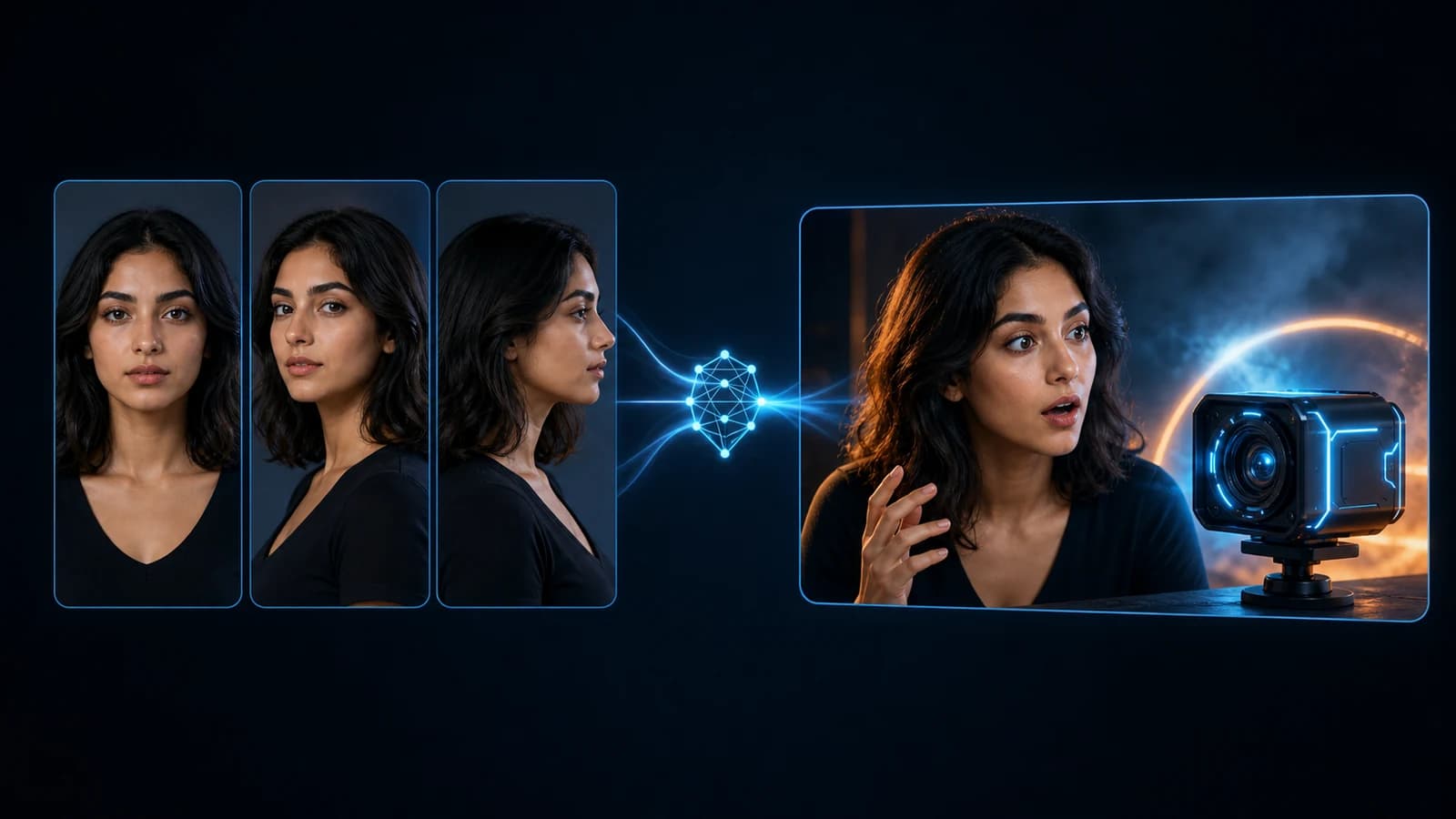
To make an AI YouTube thumbnail with your face in SRGE, create a Visual Identity from one to three reference photos, select that identity in Studio, write your thumbnail prompt normally, and generate. You do not need a special face prompt or a manual face swap.
Fact-checked on 22 June 2026 against the current SRGE workflow and the YouTube Help pages linked below.
How to make an AI YouTube thumbnail with your face in SRGE
- Create a Visual Identity. Give it a name and add one to three clear photos of the same person.
- Select it in Studio. Choose the Visual Identity from the identity control beside your prompt settings.
- Write your prompt normally. Describe the thumbnail idea, not your facial features.
- Generate and review. Check the likeness and the whole thumbnail before downloading or testing it.
Visual Identity selected + normal thumbnail prompt = done.
If you have not created an identity yet, open Visual Identity. Once it exists, you can attach it inside the AI YouTube thumbnail generator and reuse it across future concepts.
Choose reference photos that clearly show you
SRGE accepts up to three photos per Visual Identity and sorts supported references into three angles: front, three-quarter, and profile. You can create an identity with one valid photo, but the interface recommends covering all three angles for the best results.
| Reference angle | How to take it | Why it helps |
|---|---|---|
| Front | Look straight at the camera with both eyes visible. | Gives SRGE the clearest primary view of your face. |
| Three-quarter | Turn your head roughly 45 degrees. | Supports natural, slightly turned poses. |
| Profile | Turn fully sideways so the outline of your face is clear. | Provides information that a front-facing photo cannot show. |
For stronger references:
- Use recent photos, ideally taken within the last 12 months.
- Use soft, even light rather than a harsh shadow across your face.
- Keep your eyes visible and your face large enough to inspect.
- Use a neutral or relaxed expression.
- Avoid beauty filters, sunglasses, masks, and blurry crops.
- Upload only yourself or somebody who has agreed to be depicted.
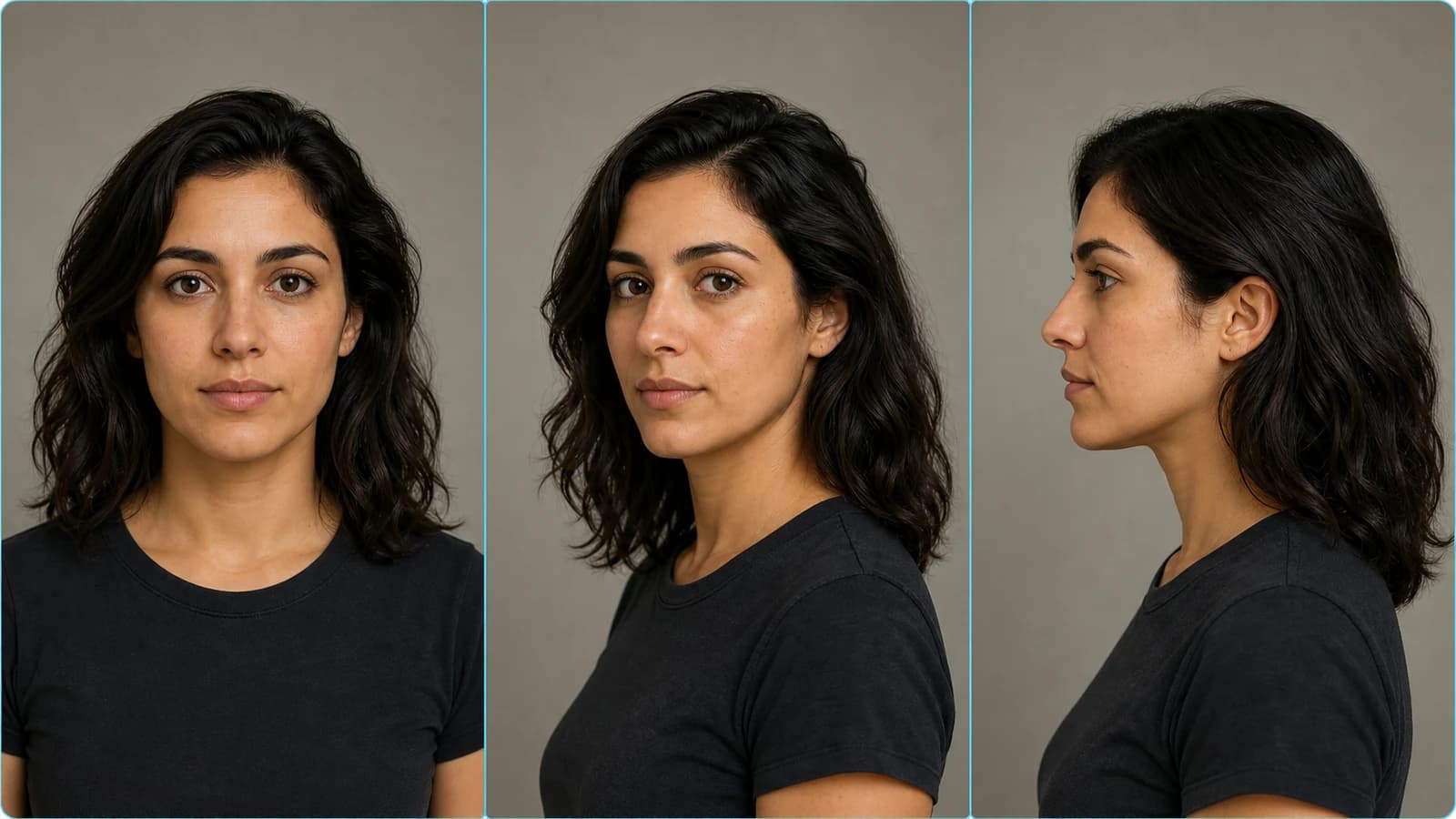
SRGE automatically rejects photos where it cannot identify a supported face angle, and it keeps only one photo per angle. After the identity is created, its reference set is locked. To replace those photos, create a new Visual Identity.
What Visual Identity does
When you generate, SRGE uses the selected identity references to guide who appears as the creator. Those references are treated as identity guidance rather than instructions to copy the original outfit, expression, lighting, or background.
SRGE also runs an identity-preservation check on identity-led generations. If a generated face clearly fails the match, the system can retry or stop the image before it is saved. That guard improves consistency, but every AI-generated face should still be reviewed by a person before publication.
Prompt normally after selecting your identity
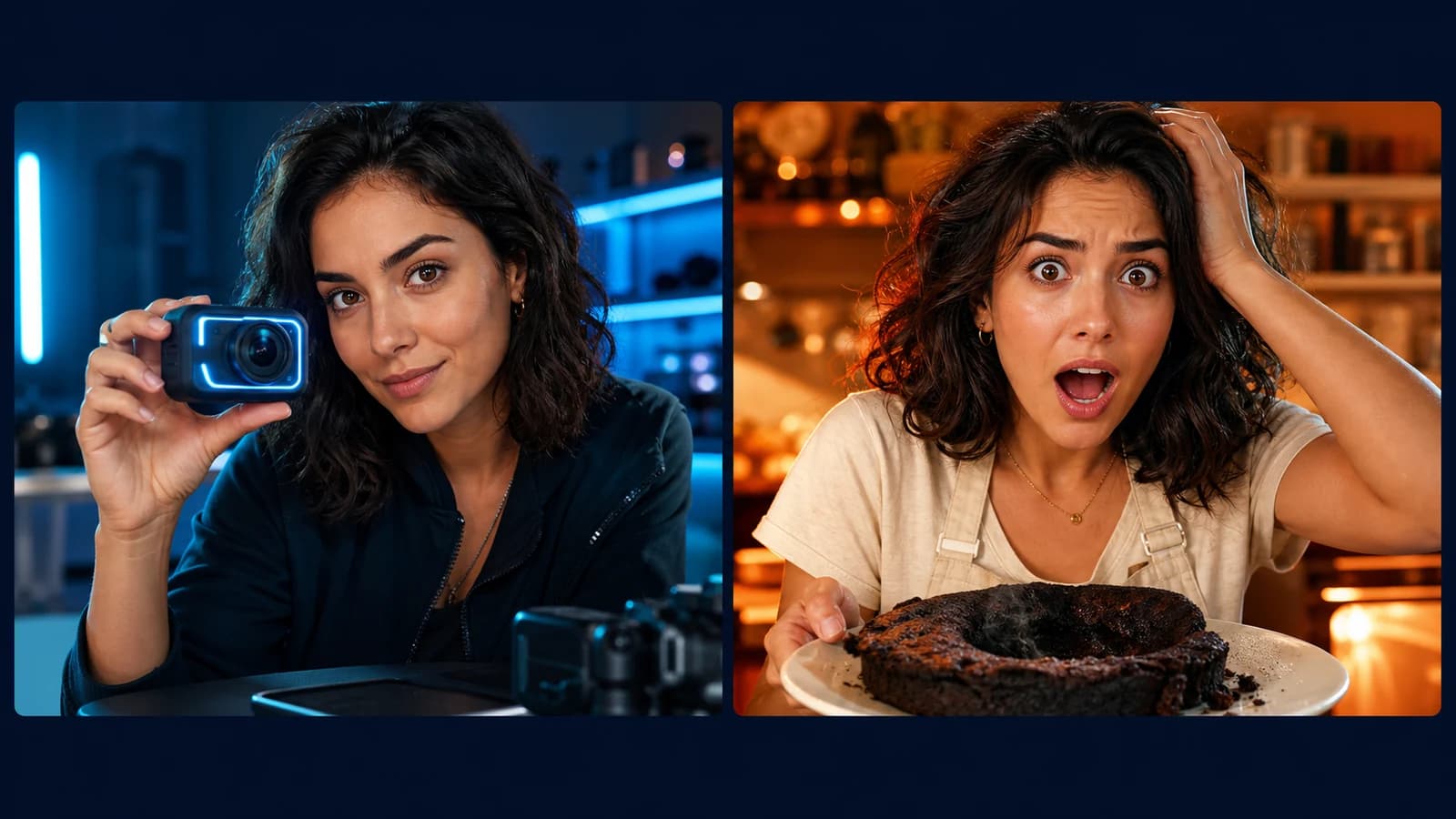
Once the Visual Identity is selected, describe the thumbnail you want in the same way you would without it. SRGE attaches the identity context separately, so you do not need to list your eye colour, jawline, hairstyle, skin texture, or other facial details.
Expression, pose, camera angle, text, and background are optional creative directions. Mention them when they matter to the idea; leave them open when you want SRGE to decide.
The important part of the prompt is the video idea and visual hook, not a technical description of your face.
Fix a result that does not look like you
| What went wrong | What to try next |
|---|---|
| The face is only vaguely similar | Create a new identity with a sharper front reference and better angle coverage. |
| The requested pose uses an unsupported angle | Add that angle to a new identity, or generate a pose closer to the references you supplied. |
| The face is too small to judge | Ask for a closer crop only if a larger creator portrait suits the thumbnail idea. |
| The likeness works but another detail is wrong | Keep the concept and use a targeted edit for the object, text, expression, or layout. |
| The result looks malformed or unnatural | Regenerate it. Do not publish a face, hand, teeth, or eye detail that looks visibly broken at normal viewing size. |
Make the thumbnail work beyond the face
A recognizable face does not automatically make a strong thumbnail. The viewer still needs to understand the video's main promise quickly. Keep the design focused enough to survive a small mobile preview.
- Can you identify the main subject or result immediately?
- Does the face add meaning rather than generic shock?
- Is any text short and readable?
- Does the thumbnail remain clear when reduced to feed size?
- Does it honestly represent something the video delivers?
YouTube's current guidance recommends avoiding overly complex designs, checking how thumbnails appear across devices, and using readable text. Its thumbnail policy also prohibits images that mislead viewers about what the video contains.
For a broader review of hierarchy, mobile readability, CTR context, and honest packaging, read our guide to making YouTube thumbnails that get clicks.
Sources: YouTube thumbnail and title tips and YouTube thumbnails policy.
Review and test the finished thumbnail
First inspect the face closely. Then zoom back out and judge the complete image at feed size. The AI thumbnail analyzer can review signals such as contrast, focal clarity, mobile legibility, colour discipline, and text headroom before you publish.
Eligible creators can also test up to three thumbnail or title options in YouTube Studio on desktop. YouTube selects results using watch-time share, and the test can take a few days or up to two weeks. The options should be meaningfully different; three nearly identical images may not produce a clear winner.
Source: YouTube Help: A/B test titles and thumbnails.
Do AI-generated thumbnails need a YouTube disclosure?
YouTube currently lists using generative AI to create or improve a thumbnail as production assistance that creators do not have to disclose by itself. That answer applies to the thumbnail workflow; if the video also contains realistic altered or synthetic scenes, review the separate disclosure rules for the video content.
YouTube also accepts privacy complaints about realistic synthetic versions of a person's likeness and considers consent when reviewing them. Use your own face, or get permission before building an identity from somebody else.
Sources: YouTube Help: Disclosing use of generative AI and YouTube Help: Protecting your identity.
Frequently asked questions
How many photos does SRGE need for a Visual Identity?
SRGE accepts one to three valid references. One photo is enough to create the identity, but the current workflow recommends front, three-quarter, and profile coverage for the best results.
Can I use one selfie?
Yes, if the face is clear and SRGE recognizes it as a supported angle. Results may be less flexible when a future thumbnail needs an angle that the single selfie does not show.
Do I need a special prompt to include my face?
No. Select the Visual Identity and write the thumbnail prompt normally. Describe a pose or expression only when it matters to your concept.
Will every result look exactly like me?
No AI image system can guarantee a perfect likeness in every generation. Clear reference photos and broader angle coverage help, but you should review each result and regenerate anything that looks wrong.
Does putting a face in a thumbnail guarantee more clicks?
No. A face can help when the creator or reaction is important to the video's promise, but it can also add clutter. Test face-led and object-led ideas on your own audience instead of treating either as a universal rule.
Can I use another person's face?
Only use another person's likeness with permission. YouTube considers consent when reviewing privacy complaints involving realistic altered or synthetic likenesses.
Want to try the workflow? Create an SRGE account, build a Visual Identity, select it in Studio, and generate your next thumbnail with a normal prompt.
Keep reading