How to Make YouTube Thumbnails That Get Clicks

Written by SRGE
We build thumbnail workflows for creators and publish practical guidance based on the product work and sources cited in each article.
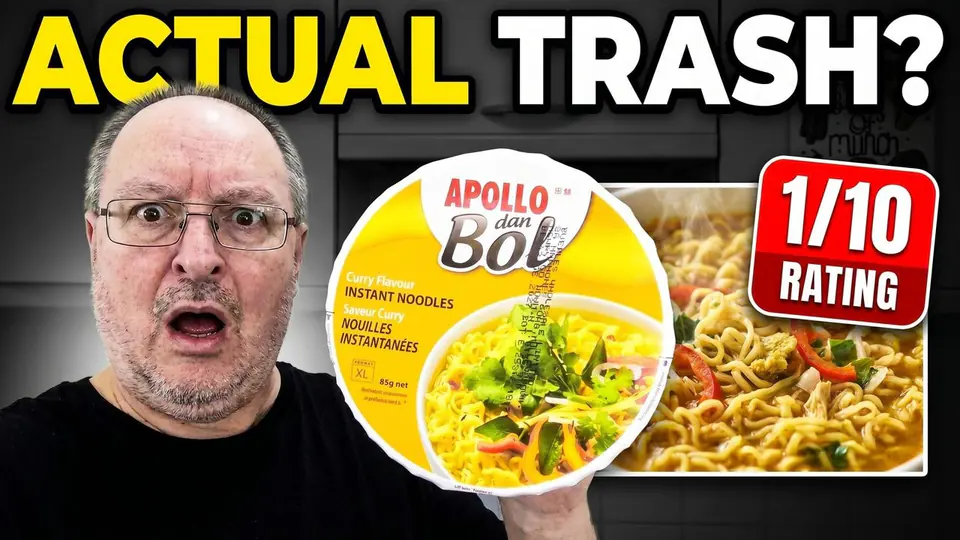
A thumbnail does not need to be loud. It needs to make the right viewer understand the video quickly enough to consider clicking. That is a smaller, more useful job than trying to design a universal "viral" image.
The useful questions are simple: what is the video promising, what can a viewer recognize at feed size, and how will you know whether a new version helped? This is the workflow we use when reviewing thumbnails in SRGE.
Read CTR in context
YouTube defines impressions click-through rate as how often viewers watched a video after seeing a registered impression. Its help documentation says half of channels and videos fall between 2% and 10%, but it also warns that traffic source, audience, topic, and reach can change that number substantially.
That is why a lower CTR is not automatically a failed thumbnail. A video reaching new viewers on the homepage may see its CTR fall while gaining useful reach. A video shown mainly to people already looking for it may have a higher CTR with far fewer impressions.
- Compare a video with similar videos on your own channel, over a meaningful period of time.
- Look at CTR together with impressions, traffic sources, and average view duration.
- Do not redesign minutes after publishing. Early data can represent a small or unusually familiar audience.
Source: YouTube Help: Impressions and click-through rate FAQ.
Start with one clear promise
Before choosing colors or expressions, write the video's promise in one sentence. For a noodle review it might be: "I tried this product and it was surprisingly bad." The thumbnail can then show the product, the reaction, and the verdict. It does not need to explain the entire review.
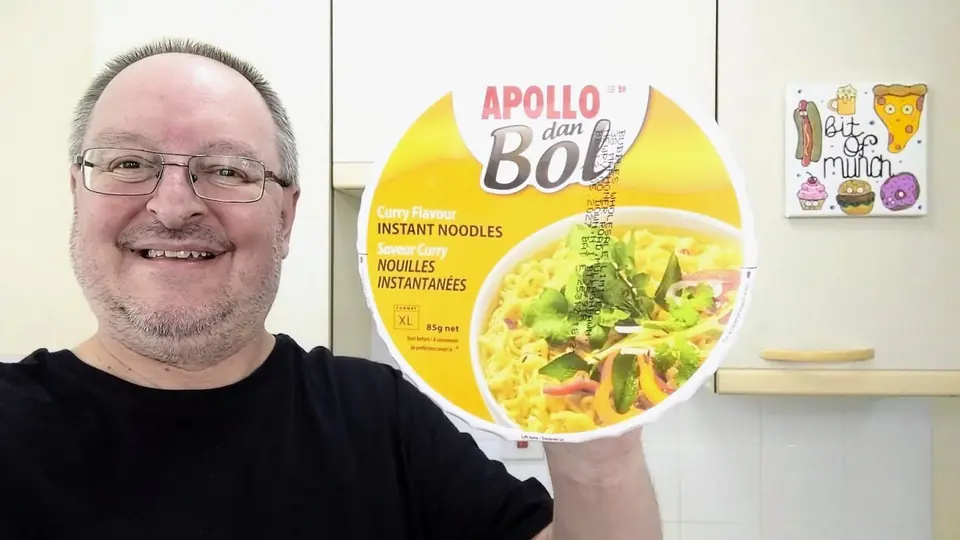 BeforeAfter
If the image and title repeat the same words, one of them is probably wasting space. Let the title explain the situation while the thumbnail supplies the quickest visual proof or tension.
Make it readable at feed size
A thumbnail can look polished while it fills your monitor and still fail in a crowded feed. Export a draft, shrink it down, and put it beside thumbnails from the videos your audience is likely to see next.
On that small version, check three things:
- Subject: can you tell what the main object or person is without zooming in?
- Hierarchy: is your eye pulled to one idea first, or are the text, face, background, and props competing?
- Words: if text is needed, can it be read quickly? If a sentence is required, it belongs in the title.
Faces are useful when the person or their reaction is central to the video. They are not mandatory. A product test, repair, build, or tutorial may be clearer with the object or result as the largest element.
Make the click honest
Good packaging creates a reason to watch without pretending the video contains something it does not. An unfinished build, an unexpected comparison, or a visible result can create interest honestly. A promise that the video cannot deliver may produce clicks but disappoint the people who arrive.
YouTube makes the same point in its CTR guidance: high CTR with low average view duration can be a sign that the title or thumbnail set the wrong expectation. The goal is a click from someone who is glad they clicked.
Test alternatives in YouTube Studio
Eligible creators can use YouTube Studio to test up to three titles and thumbnails on public long-form videos. YouTube runs the variants concurrently and decides results using watch time rather than CTR alone. Results can take a few days or up to two weeks, and a test may finish with no clear winner.
For your own learning, make each alternative answer a specific question. Is the product clearer when it is larger? Is the result more compelling than the setup? Does a face add meaning or clutter? Even when YouTube reports no winner, you will have tested a real design decision rather than three random variations.
Source: YouTube Help: A/B test titles and thumbnails.
A repeatable thumbnail workflow
- Write the video's promise in a sentence.
- Draft two or three thumbnail directions built around that same promise.
- Inspect them at small size and remove anything that is not helping the first read.
- Publish the best options through YouTube's test when your channel has access to it.
- Keep notes on what your viewers responded to, rather than assuming a general rule will fit every upload.
SRGE is designed to speed up the drafting part of that process. You can generate thumbnail directions, reuse a Visual Identity, and use the thumbnail analyzer to catch legibility or hierarchy issues before deciding what to test. The final evidence still comes from real viewers on your channel.
Have a video idea in progress? Try SRGE and create a few clear thumbnail directions before you commit to the upload.
Keep reading